Creating a stepper structure
To create a stepper structure: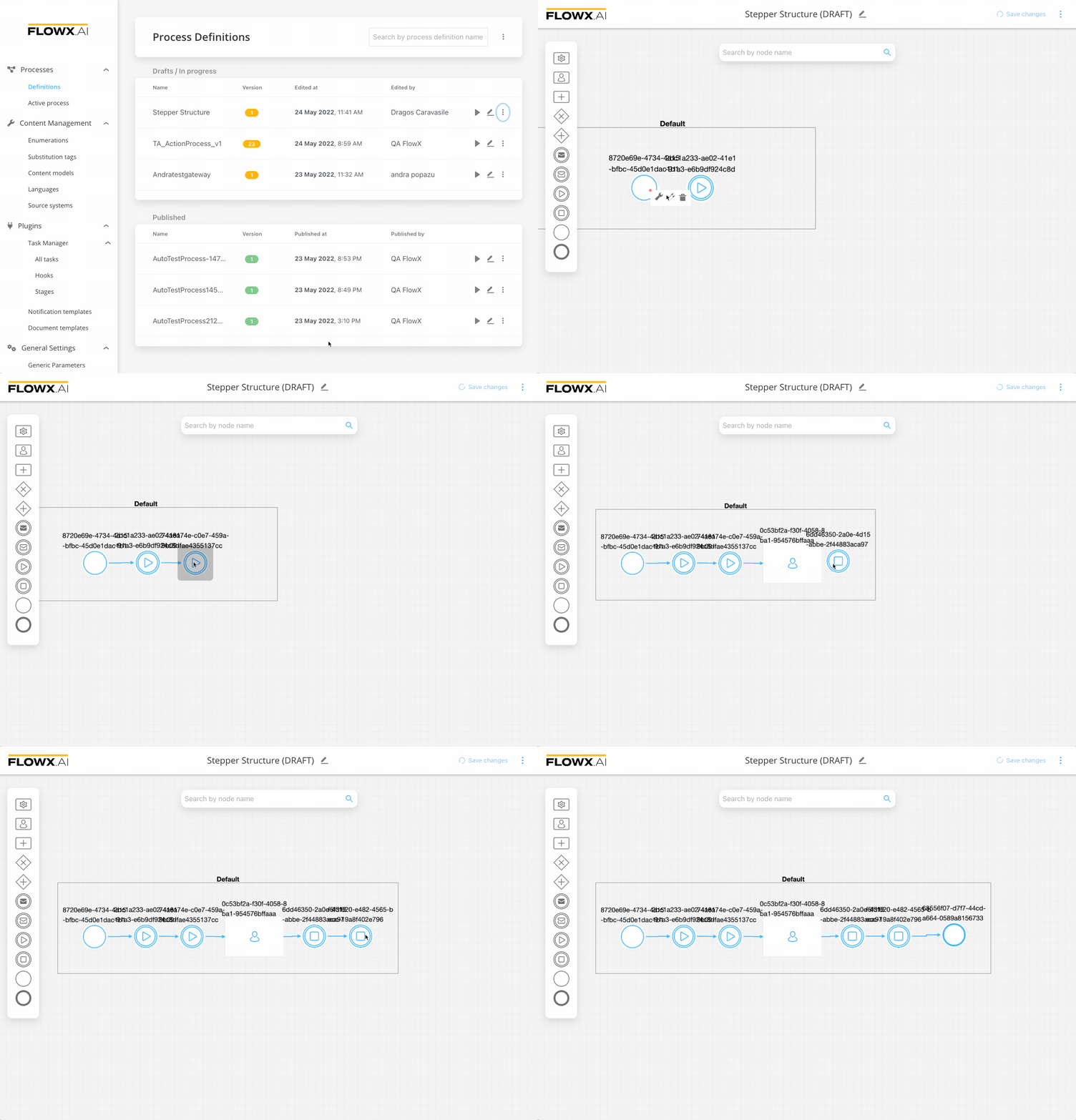
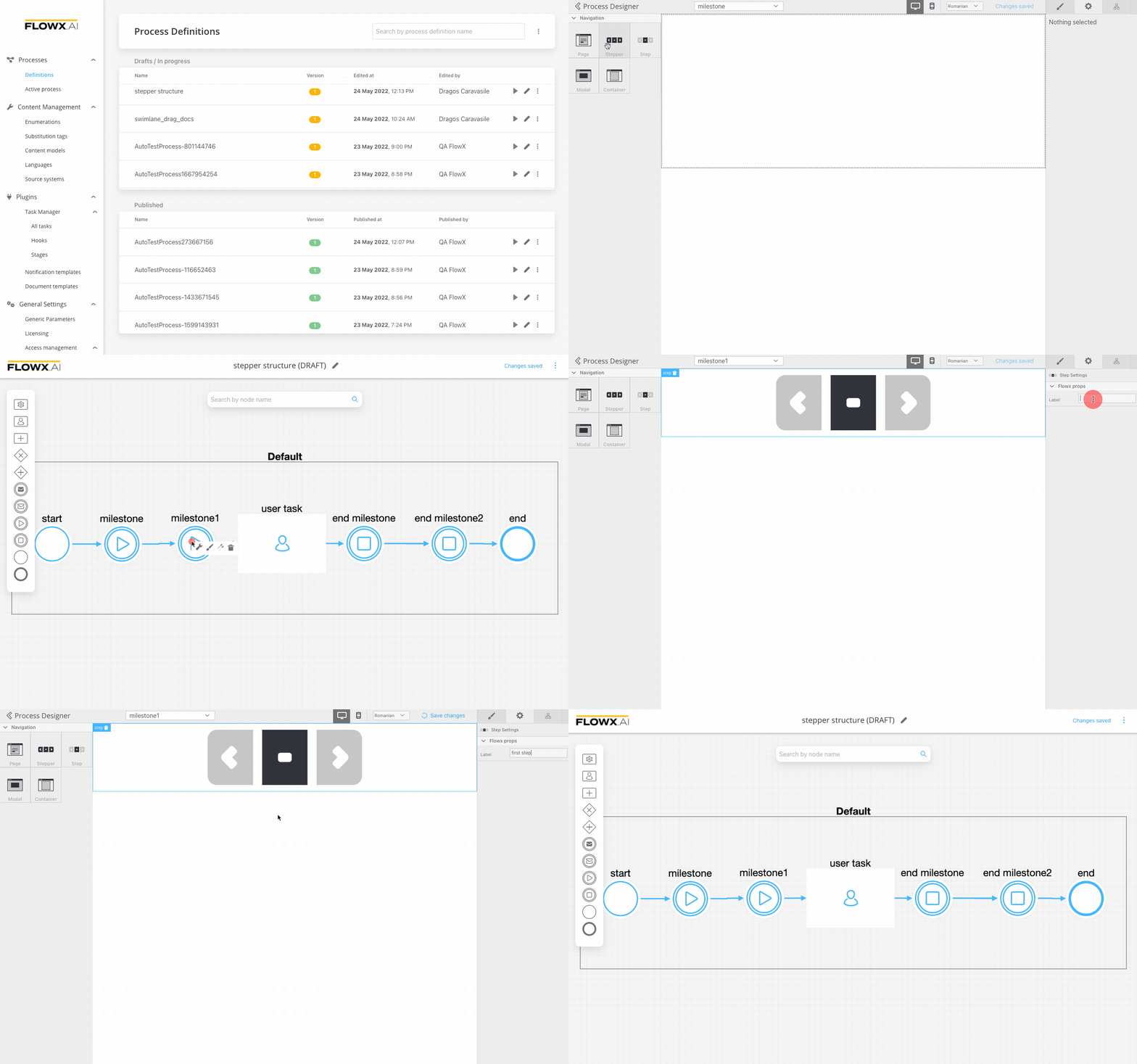
Configuring the UI
- All the UI elements are configured via the UI designer
- Starting from our basic process, we need to set the start of the stepper template config
- It is enough to open the drag and drop menu and add a Stepper template config for now
- For the first step, it will be useful to add also a label
- Clear the cache to test what we have until now
Testing the flow that we have
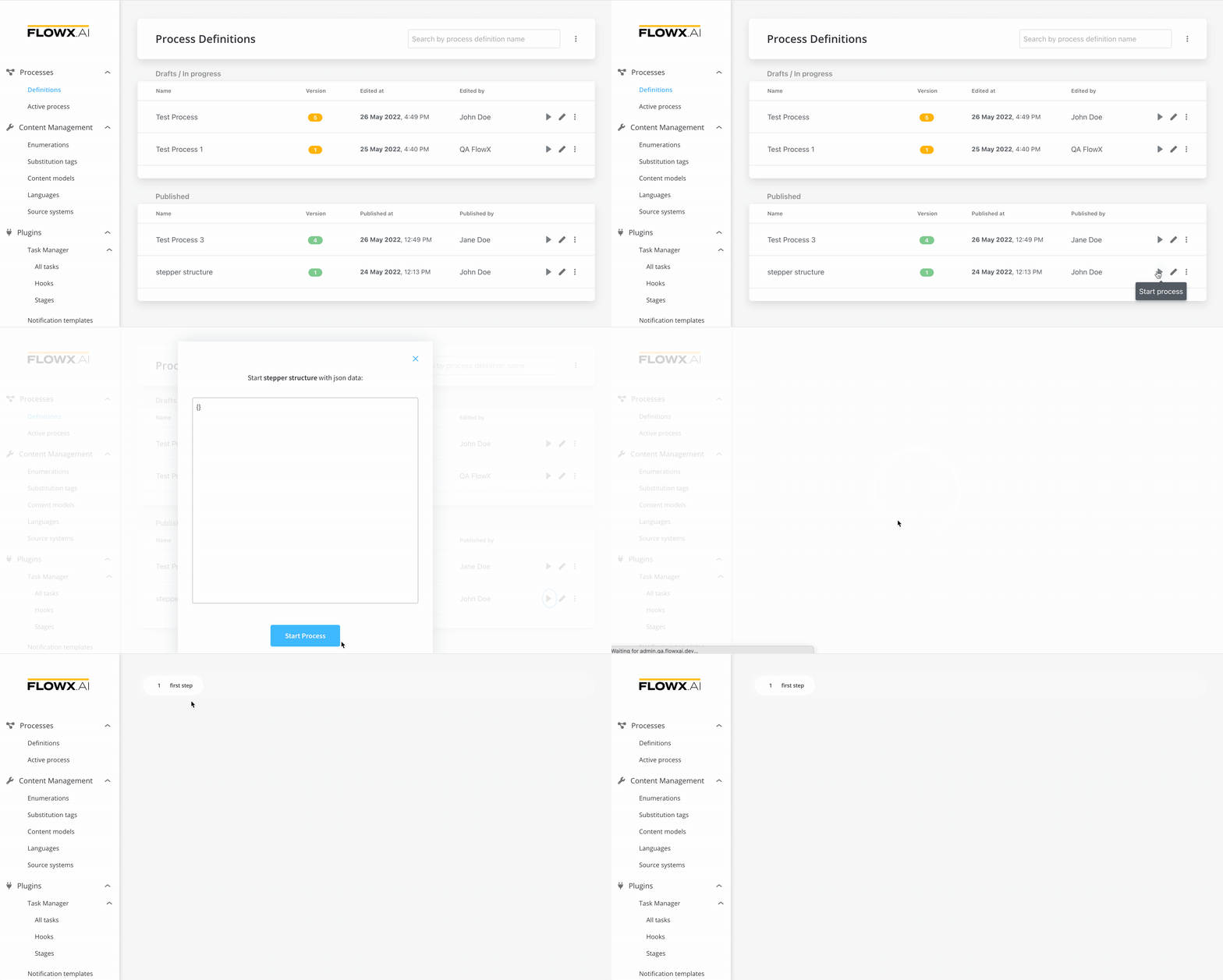
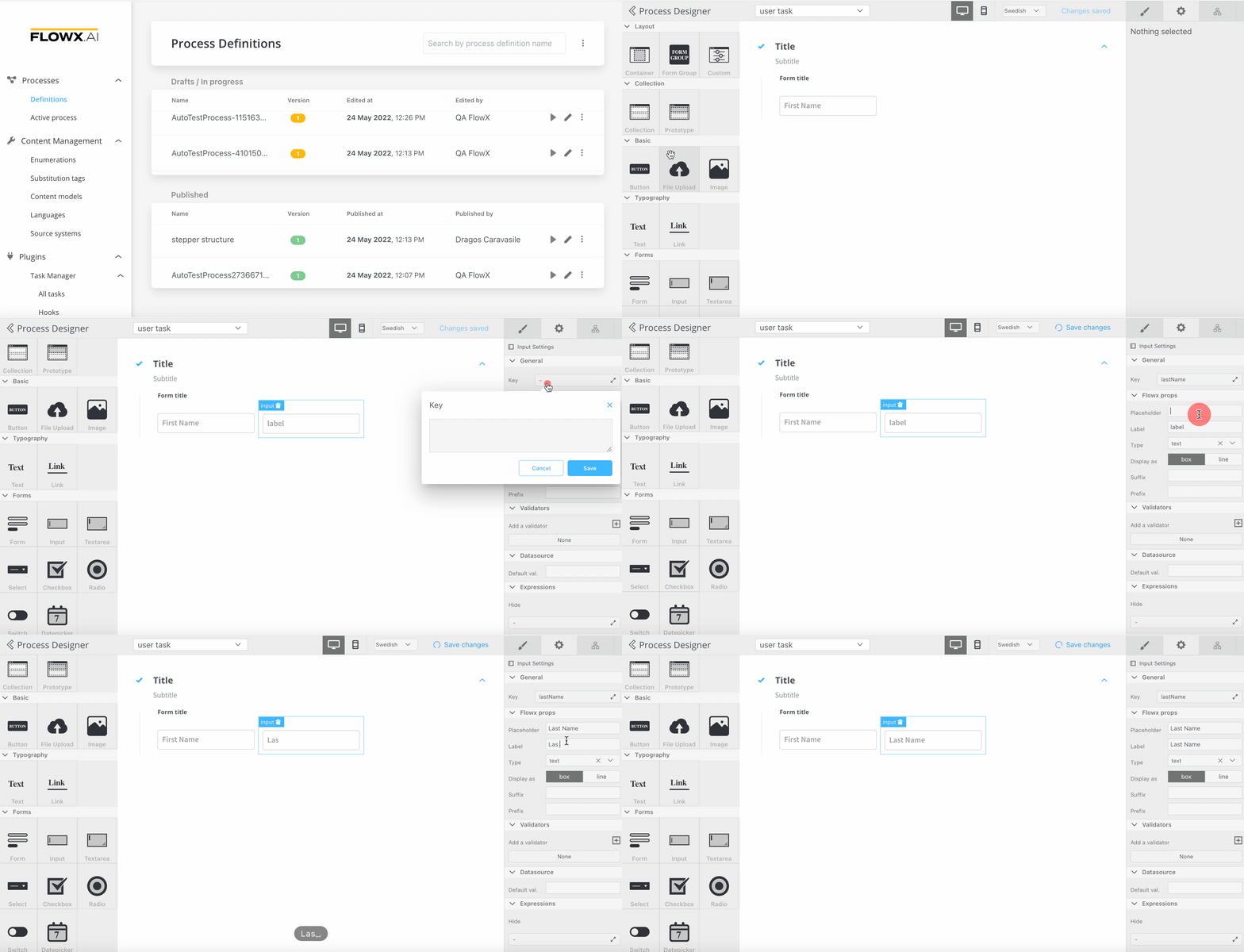
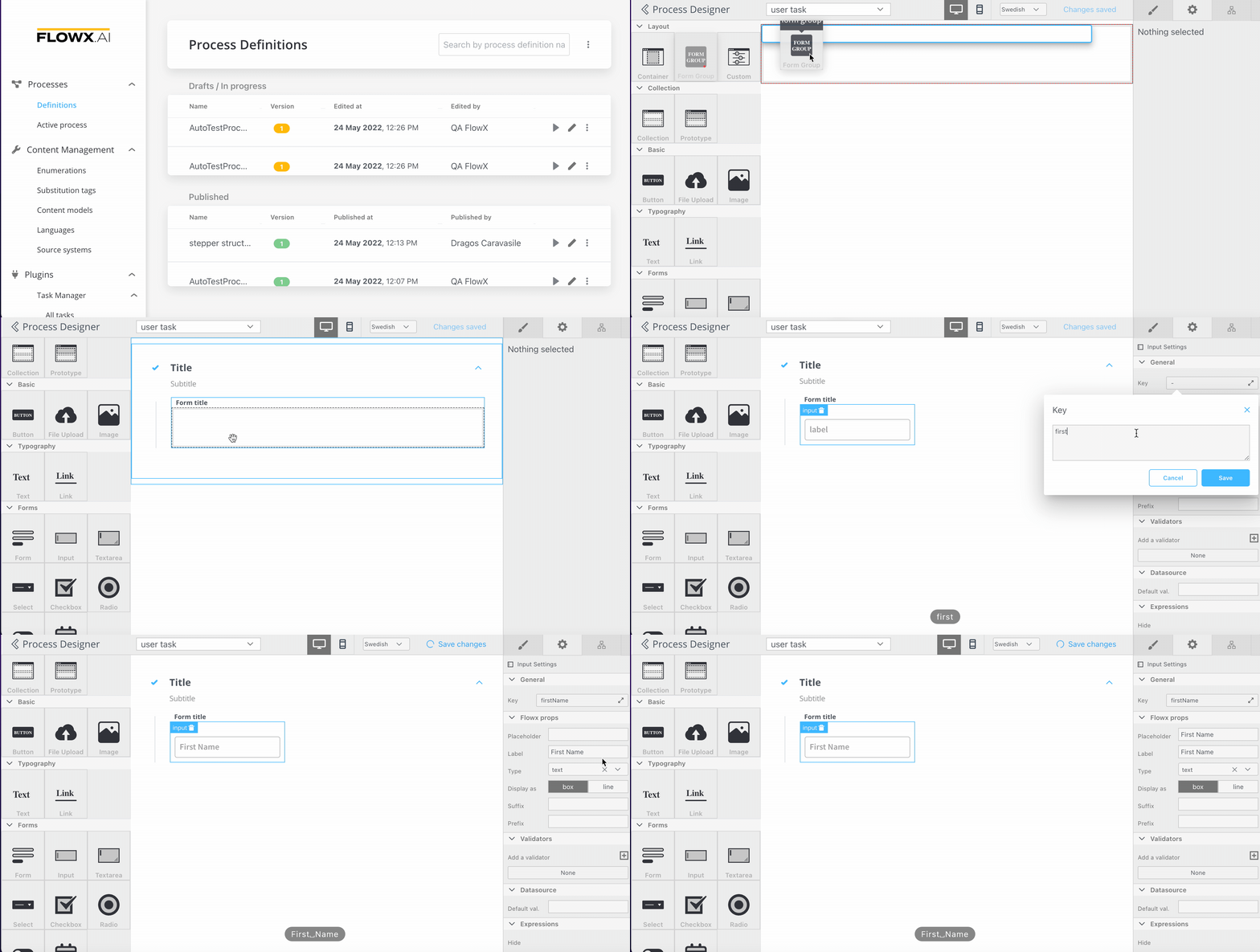
Adding a card with one input
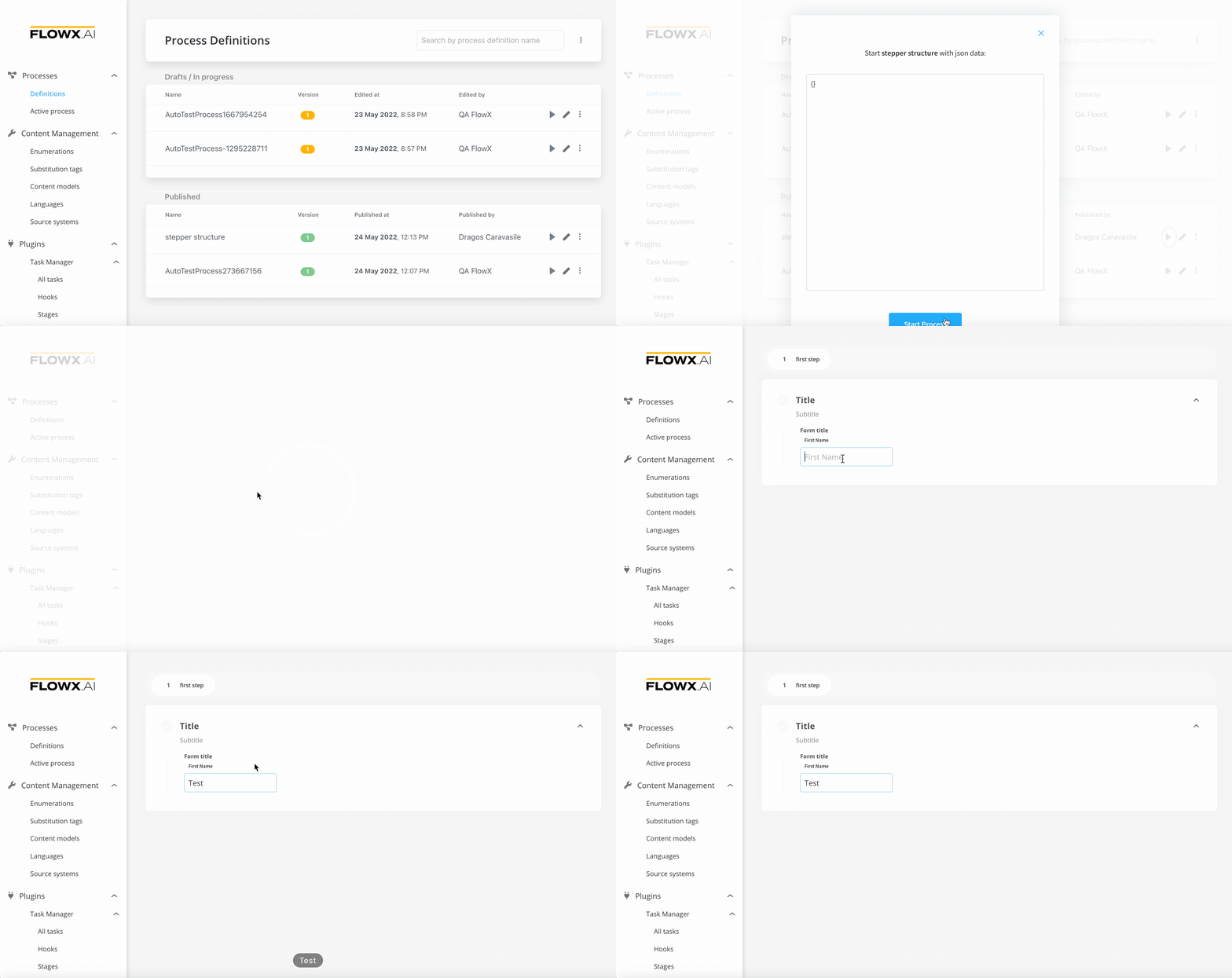
Testing our first input
Adding second input and a submit action
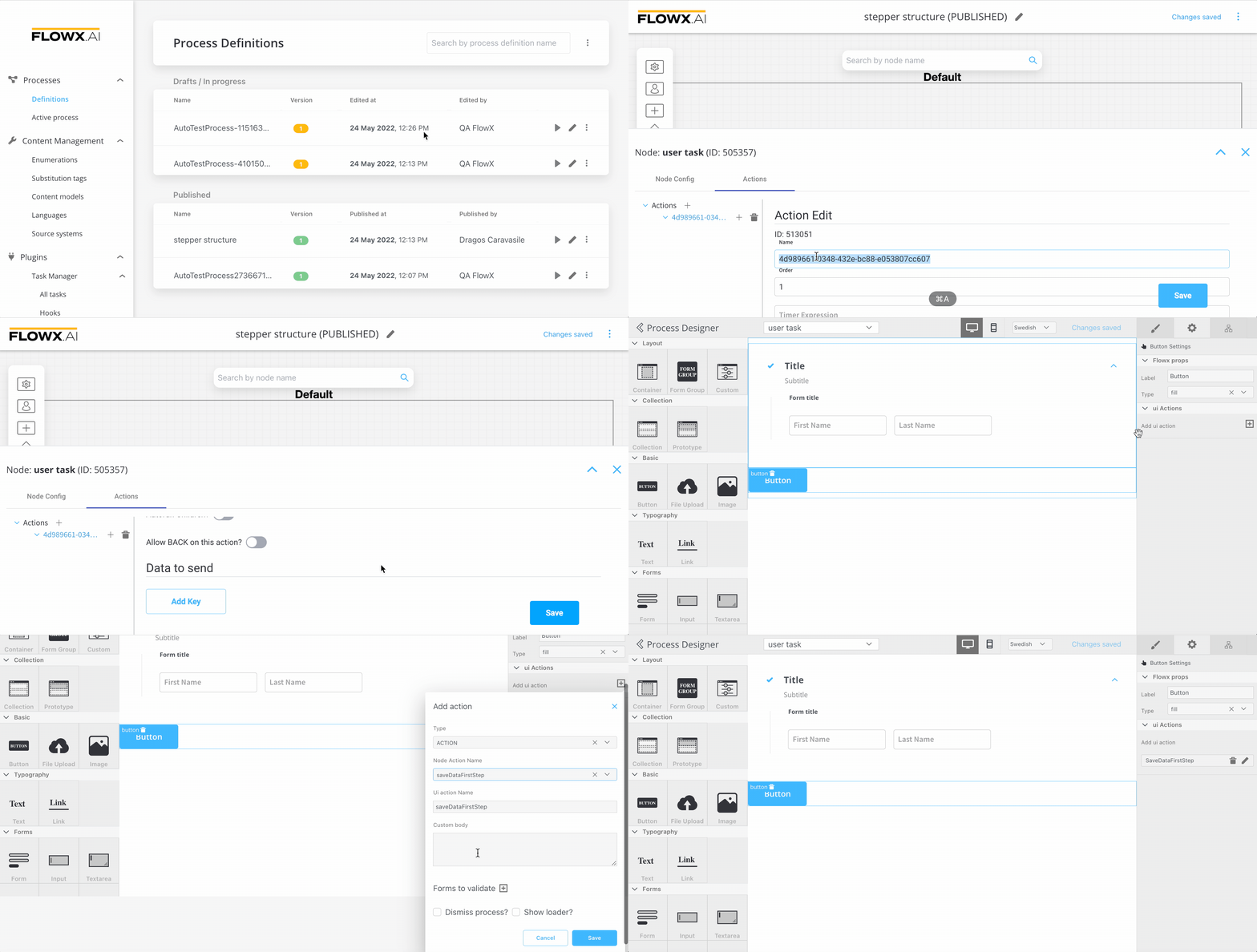
Now go back to the process and add a new action rule:
- first we need to configure the action - the action is called when the button is pressed - the action should be Manual (not automatic because it is triggered by a user)
- we need to keep in mind the name of the action -
saveDataFirstStep